Skip to content

Top 10 Technology Automation Solutions for Global Buyers

Technology automation is reshaping how global buyers manage production, logistics, customer service, and internal controls. A warehouse scanner can trigger replenishment within seconds. A software robot can transfer invoice data without repetitive typing. These small changes often create measurable gains in speed, accuracy, and visibility.

Bill Gates captured the central principle clearly: “The first rule of any technology used in a business is that automation applied to an efficient operation will magnify the efficiency.” His observation remains practical for buyers comparing modern automation platforms. Automation cannot repair every weak process. Sometimes, it only makes confusion move faster. This guide examines ten technology automation solutions through operational value, integration capability, security, scalability, and supplier reliability. It considers real purchasing concerns, including multilingual support, regional data requirements, legacy systems, maintenance costs, and employee training.

The strongest solution is not always the most advanced one. A global manufacturer may need industrial monitoring, while a growing retailer may prioritize workflow automation and demand forecasting. Different pressures. Different answers. The evaluation also considers vendor documentation, customer evidence, implementation transparency, and measurable return on investment. These checks support more informed decisions, although no ranking can remove every uncertainty. Software performance may change after deployment. Hidden integration work may increase costs. Human oversight still matters.

The following selection is designed to help international buyers compare capabilities with realistic expectations. It highlights where each solution performs well, where limitations may appear, and which business conditions deserve closer testing before purchase.
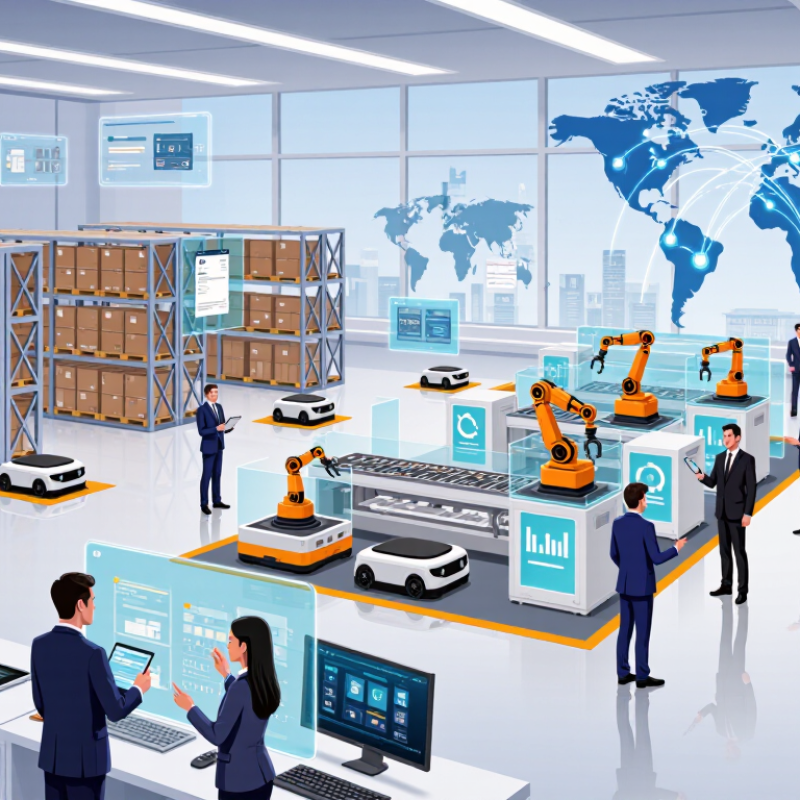
Top 10 Technology Automation Solutions for Global Buyers

What Technology Automation Solutions Mean for Global Buyers

Top 10 Technology Automation Solutions for Global Buyers

Technology automation solutions mean more than faster purchasing. For global buyers, they connect sourcing, approval, inventory, quality checks, shipping, and payment data. A buyer can track a factory quotation, inspection result, and delivery update from one controlled workflow. This reduces repeated emails and exposes delays earlier. However, automation does not remove commercial judgment. A system may flag a late shipment but miss a sudden change in local transport conditions.

In practical buying operations, useful solutions support multi-language documents, currency conversion, supplier records, order alerts, and audit trails. They should also protect sensitive pricing and product information through role-based access. Reliable platforms allow teams to review exceptions manually. That matters when a document contains unclear specifications or regional measurement differences. Small errors can become expensive.

Tips: Start with one process, such as purchase-order approval. Measure processing time, correction rates, and missed updates. Test the workflow with real documents from different regions. Keep a human review step. Do not automate confusion. A poorly designed process only moves mistakes faster. Buyers should question whether every feature solves a real operational problem, because impressive dashboards can still hide incomplete data.

How to Identify Automation Needs Across International Markets

Global buyers should identify automation needs before choosing a solution. A factory in Germany may prioritize traceability, while a distributor in Southeast Asia may need faster picking and multilingual support. Start with process evidence: record walking distances, manual entries, error rates, downtime, and peak-season delays. Interview operators, supervisors, and maintenance teams. Their practical experience often exposes problems that dashboards miss.

The International Federation of Robotics reported 541,302 industrial robots were installed worldwide in 2023. This signals broad adoption, but not universal readiness. The World Economic Forum’s Future of Jobs Report 2025 found that 86% of employers expect artificial intelligence and information-processing technologies to transform their businesses by 2030. Buyers should compare that ambition with local realities, including network stability, workforce skills, service access, and data-handling requirements. A low-cost pilot may reveal more than a polished presentation.

Look for repeated, measurable friction. Examples include barcode re-entry across three systems, inspection queues beside a conveyor, or workers lifting the same parcel hundreds of times daily. Prioritize tasks that are frequent, rule-based, and costly when mistakes occur. Yet the first diagnosis may be wrong. Poor layout can resemble a labor shortage, and weak data can make automation appear ineffective. The McKinsey Global Survey on AI reported that 72% of respondents used AI in at least one business function in 2024, but adoption does not prove value. Test one workflow, define baseline metrics, and revise the plan when evidence disagrees.

Top 10 Technology Automation Solutions by Business Function

Technology automation is most valuable when matched to a specific business function. In procurement, automated workflows can compare approved quotes, flag unusual price changes, and route purchase requests. Finance teams can use rule-based systems to reconcile invoices and detect duplicate payments. In sales, lead scoring helps staff focus on prospects showing real buying signals. Customer service automation can classify requests and send urgent cases to trained agents.

Operations teams benefit from inventory alerts, production scheduling, and machine-performance monitoring. Small delays become visible. Human resources can automate onboarding forms, training reminders, and leave approvals, while keeping sensitive decisions under human review. In information technology, automated testing, access requests, and system health checks reduce repetitive work. These controls should record timestamps, responsible users, and approval history.

Compliance functions need careful automation. Systems can check documents against current internal policies, but they should not replace qualified judgment. I have seen poorly designed rules reject legitimate exceptions because the data was incomplete. That weakness matters. Reliable solutions need clean inputs, clear ownership, and regular testing across regions and languages. Security teams should limit permissions and review unusual activity without collecting unnecessary personal data. Legal requirements also change, so automation settings need documented reviews rather than permanent assumptions.

How to Evaluate Integration, Security, and Regulatory Compliance

Global buyers should evaluate automation solutions through evidence, not impressive demonstrations. Ask how the system connects with existing software, databases, sensors, and identity services. Request a live integration test using realistic data and a normal business workflow. Check API documentation, data formats, error handling, and support for older systems. A smooth demo can hide costly manual work.

Security requires more than encryption claims. Examine access controls, multi-factor authentication, audit logs, vulnerability testing, and incident response procedures. Ask where data is stored and how long it remains there. Test a revoked user account and review the resulting activity log. Test the failure path. In supplier audits, small gaps often appear between written policies and daily operations.

Regulatory compliance must match each market, industry, and data category. Review data transfer controls, retention rules, consent records, accessibility duties, and sector-specific obligations. Require clear evidence, such as independent assessments, control maps, and recent remediation records. Do not accept a certificate without understanding its scope. A solution may comply in one country but require changes elsewhere. Buyers should also define responsibility for updates when regulations change. This part is often overlooked. A pilot can reveal that the integration is technically sound but operationally confusing. That is not a failure; it is useful evidence. However, teams should document the weakness, assign an owner, and set a correction deadline before expanding deployment.

Top 10 Technology Automation Solutions for Global Buyers

Comparative readiness across integration, security, and regulatory compliance requirements.

Scores use a 0–100 evaluation scale based on practical buyer criteria aligned with API interoperability, identity and access control, auditability, data protection, and regulatory control mapping. Higher scores indicate stronger suitability for global deployment.

How to Compare Costs, Scalability, and Long-Term Business Value

When comparing ten automation solutions, global buyers should look beyond purchase price. A low license fee may hide integration work, staff training, data migration, and annual support. I have seen a cheap pilot become expensive after three months. Numbers can mislead. Build a three-year cost model with setup, customization, maintenance, user growth, and downtime. Test each estimate against real invoices or supplier commitments. Useful benchmarks include payback period, cost per transaction, and labor hours saved. Measure error reduction too, because rework quietly consumes savings.

Scalability requires more than handling higher volume. Ask whether the system supports new regions, currencies, languages, workflows, and compliance controls without major redesign. Review integration methods, processing limits, access permissions, and monitoring tools. Request a demonstration using realistic files, peak volumes, and approval delays. Pilot before scaling. A controlled trial can reveal weak data quality and overlooked exceptions. Long-term value depends on adaptability, not impressive launch figures. Assess upgrade policies, internal skills, support response times, and exit options. One uncomfortable question matters: if priorities change, can the solution be reduced without financial waste? The best comparison may expose trade-offs. That is useful, not failure.

Top 10 Technology Automation Solutions for Global Buyers - How to Compare Costs, Scalability, and Long-Term Business Value

Comparative view of widely adopted enterprise automation solution categories. Cost ranges are indicative total first-year budgets in USD for a mid-sized international deployment, including typical software, implementation, integration, and training expenses.

Rank Automation Solution Primary Business Applications Typical First-Year Cost (USD) Scalability Typical Deployment Time Integration Complexity Long-Term Business Value
1 Workflow and Business Process Automation Approvals, employee onboarding, procurement, service requests, compliance workflows, and cross-department task routing. $25,000–$150,000 High; reusable workflows can support multiple departments and countries. 2–6 months Medium; usually connects with ERP, CRM, HR, email, and document systems. Very High
Reduces manual coordination, cycle times, and process inconsistency.
2 Robotic Process Automation Rule-based data entry, invoice processing, reconciliation, reporting, legacy-system tasks, and repetitive desktop operations. $40,000–$250,000 High for stable, rule-based processes; maintenance rises when user interfaces frequently change. 3–9 months Low to medium; can automate systems without modern APIs but requires controlled environments. High
Can reduce repetitive labor and improve accuracy when processes are standardized.
3 Integration Platform as a Service Data synchronization between finance, sales, supply chain, commerce, support, and operational applications. $35,000–$220,000 Very high; supports APIs, event-driven flows, batch integration, and multi-region operations. 3–9 months Medium to high; requires API governance, data mapping, security, and monitoring. Very High
Creates a connected technology environment and lowers the cost of future integrations.
4 Intelligent Document Processing Extraction and validation of invoices, purchase orders, customs documents, claims, contracts, and forms. $30,000–$180,000 High for consistent document types; accuracy depends on document quality and language coverage. 2–6 months Medium; commonly requires connections to ERP, content management, workflow, and archive systems. High
Reduces manual document handling and accelerates transaction processing.
5 AI-Assisted Customer Service Automation Self-service support, knowledge search, ticket classification, response drafting, and multilingual customer assistance. $50,000–$300,000 Very high; digital interactions can expand without proportional increases in support staffing. 3–9 months Medium to high; requires customer data, knowledge bases, ticketing, identity, and human escalation controls. High
Improves response speed and service coverage when knowledge governance is strong.
6 Supply Chain Planning and Warehouse Automation Demand forecasting, inventory replenishment, warehouse execution, picking, packing, and shipment coordination. $100,000–$1,000,000+ High, but physical capacity, site design, and local operating conditions affect expansion. 6–18 months High; connects warehouse, transport, inventory, order, equipment, and planning data. Very High
Can improve inventory availability, fulfillment speed, labor productivity, and warehouse safety.
7 Financial Close and Reconciliation Automation Account reconciliation, journal preparation, close checklists, intercompany matching, and financial reporting controls. $45,000–$250,000 High; suitable for multi-entity and multi-currency finance operations. 3–8 months Medium; requires reliable general-ledger, banking, subledger, and master-data connections. Very High
Shortens close cycles and strengthens auditability and control consistency.
8 IT Operations and Infrastructure Automation Cloud provisioning, patching, incident response, configuration management, backup, monitoring, and service requests. $50,000–$350,000 Very high; automation can be applied across cloud, data-center, and hybrid environments. 3–12 months Medium to high; depends on infrastructure diversity, security controls, and observability coverage. Very High
Improves uptime, deployment consistency, recovery speed, and infrastructure efficiency.
9 Cybersecurity Automation and Security Orchestration Alert triage, threat investigation, identity workflows, vulnerability response, and automated containment actions. $60,000–$400,000 High; supports centralized security operations across regions and technology environments. 4–12 months High; requires security telemetry, identity systems, endpoint tools, ticketing, and carefully governed playbooks. Very High
Reduces response time and helps security teams manage growing alert volumes.
10 Industrial Internet of Things and Predictive Maintenance Asset monitoring, condition-based maintenance, production analytics, energy optimization, and quality control. $150,000–$1,500,000+ High after standards are established; sensor coverage and site connectivity affect rollout speed. 9–24 months High; combines sensors, edge systems, operational technology, maintenance software, and analytics. Very High
Can reduce unplanned downtime, maintenance waste, energy use, and production losses.
Cost and timeline ranges are planning benchmarks rather than fixed quotations. Actual results depend on transaction volume, number of countries and sites, data quality, cybersecurity requirements, regulatory obligations, process maturity, integration scope, and internal implementation capability.