Skip to content

What Are the Top Types of Product Automation in 2026?

Product automation is changing how teams move an idea from design to delivery. In 2026, the most useful systems do more than speed up repetitive clicks. They connect product data, trigger decisions, and keep work visible across departments. A small change to a product record, for example, can update inventory, notify support, and refresh a sales dashboard. That is practical value. Yet automation is not a substitute for sound product judgment. Teams still need people to check exceptions, data quality, and customer impact. The term can mean different things in manufacturing, software, and ecommerce. That boundary is not always neat.

This guide examines leading types of product automation, from workflow and manufacturing controls to AI-assisted product operations, testing, and lifecycle management. It explains where each approach fits, what it can improve, and which trade-offs deserve attention. A warehouse may prioritize accurate stock updates, while a software team may focus on release checks and customer feedback loops. The best choice depends on process maturity, integration needs, and the cost of errors—not simply on the newest tool. Start small. Measure outcomes. Keep a human review path for consequential decisions. Automation can fail quietly when outdated data flows through a polished dashboard. That possibility deserves more attention than it often gets. The goal is reliable, observable work that gives teams more time for decisions customers can feel.
What Are the Top Types of Product Automation in 2026?

How Product Automation Is Classified in 2026

In 2026, product automation is best classified by what it automates: physical work, repeatable decisions, or changing tasks. Physical automation includes robots that move, assemble, inspect, or package goods. The International Federation of Robotics reported 4,281,585 industrial robots operating worldwide in 2023, a 10% increase from the year before (World Robotics 2024). That scale matters on a factory floor, where a robot can repeat a precise motion but may struggle when parts arrive in an unexpected position.

Digital workflow automation handles predictable steps, such as routing an order after payment or flagging a missing field. AI-enabled automation adds pattern recognition, helping systems sort images, forecast demand, or suggest product changes. McKinsey’s 2024 global survey found that 72% of respondents’ organizations used AI in at least one business function. Adoption, however, does not mean every decision should be automatic. The distinction matters.

A third useful category is lifecycle automation, which connects design, testing, production, and service data. For example, repeated sensor alerts could prompt an inspection and feed findings back to product engineers. These categories overlap: a quality check may combine a camera, a workflow rule, and an AI model. That overlap can make classification messy. Teams should document what triggers each action, what remains human-reviewed, and where errors are recorded; otherwise, a tidy automation map may hide a brittle process.
How AI Automates Product Design and Development

AI is changing product development less like an autonomous inventor and more like a fast design partner. It can sort interview notes, draft user journeys, and create several interface concepts before a team’s first review. In engineering, models can summarize test results and flag recurring failure patterns. This gives designers more time to assess trade-offs, not just produce options.

The McKinsey Global Institute’s 2023 analysis estimated generative AI could increase productivity in product development by 10 to 15 percent of total research and development costs. McKinsey’s 2024 global survey also found that 65 percent of respondents’ organizations regularly used generative AI in at least one business function. Adoption is moving quickly. But a polished mock-up is not proof that a product works. Teams still need user tests, engineering checks, and clear records of how decisions were made. A practical workflow might use AI to turn feedback into draft requirements, then have a product manager verify each claim against the original interviews. That review can feel slow. It is also where useful context survives. AI can miss an awkward but important detail, like a button hidden by a user’s thumb. Teams should measure whether it improves quality and speed, rather than counting generated concepts alone.

What Are the Top Types of Product Automation in 2026? — How AI Automates Product Design and Development

Automation Type Where It Fits Typical Inputs Automated Outputs Human Oversight
Customer Research Synthesis Discovery and product strategy Interview notes, survey responses, support conversations, and usage data Topic clusters, recurring pain points, draft summaries, and research questions Researchers verify interpretations, protect sensitive information, and check that summaries reflect the source material.
Requirements and Specification Drafting Product planning and definition Business goals, user needs, constraints, and existing product documentation Draft requirements, user stories, acceptance criteria, and potential edge cases Product and engineering teams resolve ambiguity, prioritize work, and approve requirements before implementation.
Concept Generation and Exploration Early-stage product and feature design Design briefs, target-user needs, functional constraints, and reference material Alternative concepts, feature directions, mood boards, and early design variations Designers assess usability, feasibility, originality, and alignment with user needs.
Interface Prototyping Digital product design Screen requirements, design-system rules, content, and interaction descriptions Draft layouts, interface components, interaction flows, and clickable prototypes Designers review accessibility, visual consistency, interaction behavior, and usability with users.
Generative Engineering Design Mechanical, industrial, and physical product development Geometry, materials, load cases, manufacturing limits, and performance objectives Candidate forms or structures optimized against specified constraints Engineers validate simulations, safety, manufacturability, materials, and applicable standards.
Code Generation and Refactoring Software implementation Approved specifications, code context, programming conventions, and task descriptions Suggested code, test scaffolding, documentation drafts, and refactoring proposals Developers review correctness, security, maintainability, licensing concerns, and fit with the system architecture.
Automated Testing and Defect Triage Verification and quality assurance Requirements, application builds, test data, logs, and observed behavior Test cases, regression checks, anomaly reports, and grouped defect summaries QA and engineering teams confirm severity, reproduce important failures, and investigate false positives.
Product Analytics and Feedback Monitoring Launch, iteration, and ongoing product improvement Aggregated product events, customer feedback, support themes, and performance measures Trend summaries, potential usability issues, and signals for further investigation Teams check data quality, privacy, context, and whether observed patterns justify a product change.
Workflow and Release Orchestration Cross-functional product operations Approved tasks, dependencies, review rules, and release criteria Routine handoffs, status updates, reminders, and release-checklist tracking People retain approval authority for consequential decisions, exceptions, and production releases.
Technical Documentation and Localization Development, support, and product delivery Verified product behavior, source text, terminology, and target-language requirements Draft help content, release notes, interface translations, and documentation updates Subject-matter reviewers check accuracy, terminology, accessibility, and cultural suitability before publication.

How Robotics Automates Manufacturing and Assembly

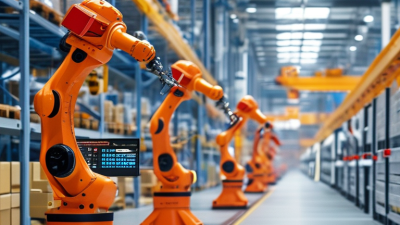
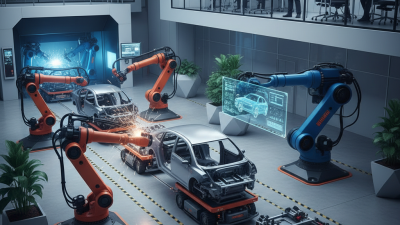
In 2026, robotics is reshaping manufacturing through machine tending, material handling, and precision assembly. The International Federation of Robotics’ World Robotics 2024 report counted 4,281,585 industrial robots operating worldwide in 2023, up 10% from the previous year. It also recorded 541,302 new installations. The scale is already substantial.

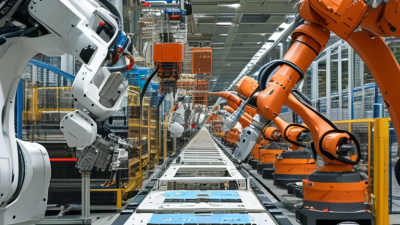
On assembly lines, articulated robots can lift heavy components, while smaller systems handle repetitive fastening or pick-and-place tasks. Vision sensors help locate parts that arrive slightly out of position. A robot can then align a metal bracket, drive screws to a set torque, and pass the assembly onward. Collaborative robots can work near people on suitable tasks, but guarding, risk assessment, and careful workflow design still matter.

Automation is not a plug-in cure. A cell may look efficient on paper and still stop when parts vary or a sensor gets dusty. Manufacturers need to measure cycle time, changeover delays, defect rates, and maintenance downtime before expanding a system. One awkward truth: a fast robot cannot fix a poorly designed process. Human operators remain essential for setup, quality checks, and unexpected exceptions.

How Software Automates Product Testing and Quality Control

What Are the Top Types of Product Automation in 2026?
How Software Automates Product Testing and Quality Control

Product testing software can run the same checks across hundreds of product versions. For a mobile app, automated scripts might tap buttons, submit forms, and verify that key screens load correctly. In a factory, sensors can measure dimensions or temperature as items move along a line. Each result is recorded, making changes easier to trace.

Quality control tools can flag patterns that are hard to spot by eye. A dashboard might show that a certain component fails more often during cold starts, or that measurements drift late in a production shift. Teams can set thresholds, route alerts to technicians, and pause a process when readings fall outside agreed limits. Useful, but not magic.

Good automation depends on well-designed tests and reliable input data. A script may pass while missing a confusing label or an awkward physical fit. Human reviewers still need to inspect unusual failures, update test cases, and check whether thresholds make sense. That work is easy to underestimate. Automation can reduce repetitive checks, but it can also repeat a flawed check very quickly. Regular audits help keep the system honest.

Top Types of Product Automation in 2026

How software automates product testing and quality control across the development lifecycle

The bars count the concrete examples listed for each lifecycle stage: requirements traceability, model-based validation, and test-case generation (design); unit tests, static analysis, dependency scanning, and API contract tests (development); build verification, integration tests, packaging checks, and software-bill-of-materials generation (build); UI regression, performance, compatibility, accessibility, and security testing (testing); and deployment smoke tests, canary monitoring, telemetry checks, and anomaly detection (release and production). These are curated example counts, not industry adoption rates.

How Connected Systems Automate Packaging and Fulfillment

Connected packaging and fulfillment systems connect order data, inventory records, packing equipment, and shipping workflows. When an order arrives, software can confirm stock, identify the item’s dimensions, and direct it to a suitable packing station. A scanner checks the product code. A scale verifies its weight. These small checks help catch mismatches before a parcel moves to dispatch.

At the packing line, conveyors can route orders while machines form cartons, apply labels, or seal packages. The system can send the correct label using the destination and service selected for that order. If a parcel’s measured weight differs from its expected weight, it can be held for review instead of continuing unnoticed. Human checks still matter. Automation can repeat errors quickly when product data is incomplete.

On the fulfillment side, connected software can assign picking tasks, update inventory after each scan, and send completed parcels to the right sorting lane. Staff can use live dashboards to spot queues, stalled equipment, or stock discrepancies. Automation is not magic. Poor integrations and badly maintained sensors can create delays, too. Teams need to test unusual orders, monitor exception rates, and keep clear procedures for manual handling. The goal is dependable flow, not removing every person from the process.